ChatGPT inside After Effects
AI Assistant for After Effects
Type what you want in plain language and get JSX scripts, expressions and animations back, right inside an After Effects panel.
JSXFrom plain language
10Free prompts a day
$6.99Unlimited per month
What you can do
Your motion design co-pilot
Built for motion designers, editors and VFX artists. Whether you’re new to expressions or a pro looking to save hours, AI Assistant speeds up your daily work.
01
Generate JSX from plain language
Describe the task and get a working ExtendScript, in English or your own language.
02
Expressions without the syntax
Ask for loops, wiggles or links between properties instead of memorising code.
03
Automate repetitive tasks
Rename, arrange, parent and apply effects across every selected layer at once.
04
Animations in seconds
Build keyframe setups, bounces and slide-ins from one sentence.
05
Presets and quick actions
Save prompts you use often and run them again with a click.
06
A clean in-panel interface
Everything lives in a native After Effects panel, so you never leave your comp.
Examples
One prompt, done
Real prompts and what they do in a live comp.

Arrange layers in a matrix
Arrange all the selected layers in 3 by 3 matrix order.
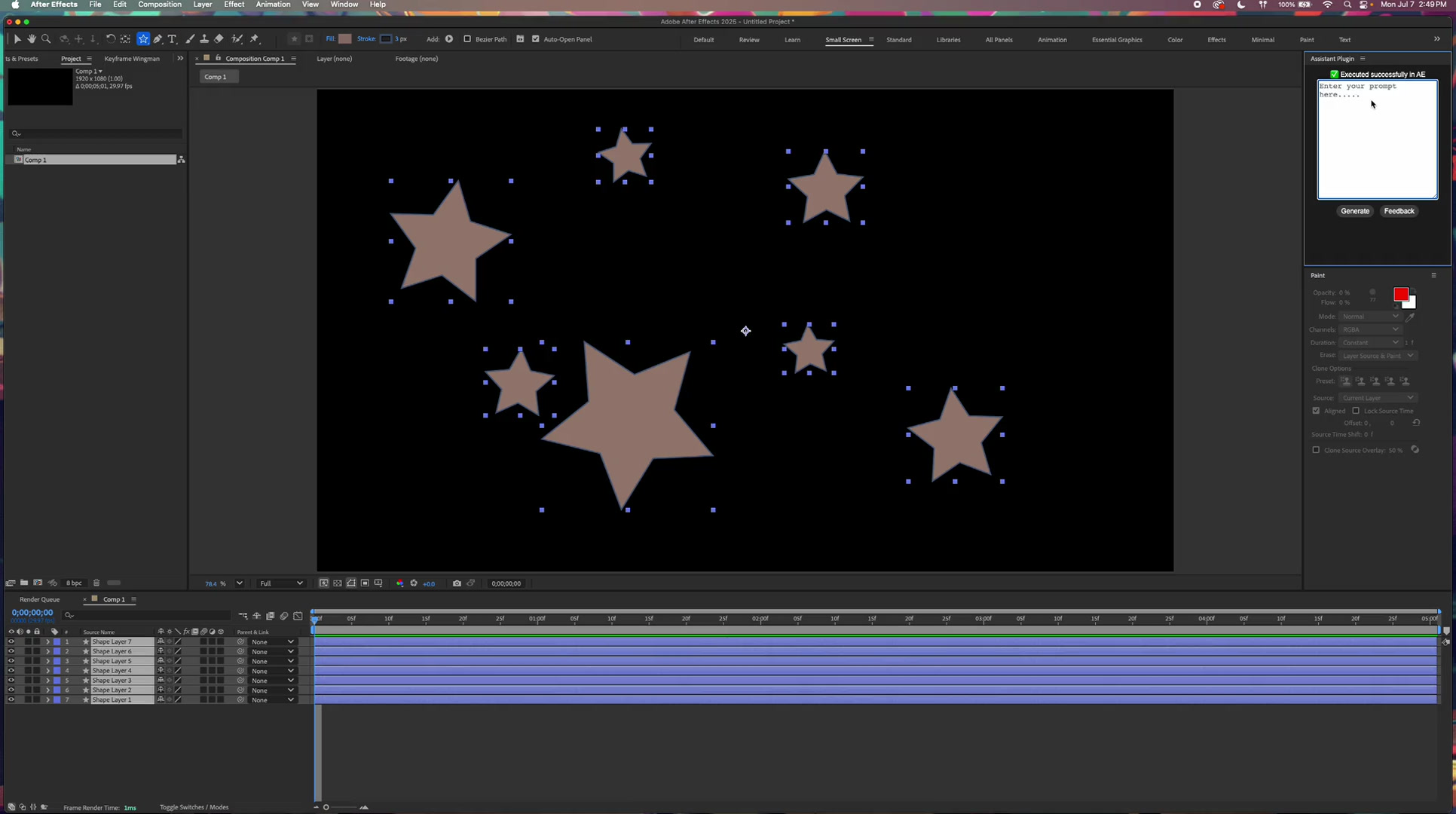
Set anchor points and spread layers
Place the anchor points of all layers at the center of their stars, then arrange all selected layers evenly across the width of the composition.
Top 10 prompts
Ten ways to use it today

01
Slide-in text animations
Create a slide-in title from the left with bounce back effects.
A clean text animation with in and out keyframes.
02
3D camera with parallax
Set up a 3D camera with 3 parallax layers and depth blur.
A ready scene in one step.
03
Looping with expressions
Add a loopOut expression to the selected layer’s position and scale.
Loops on any property, instantly.
04
Flicker or shake
Add a subtle flicker to the selected text layer.
Great for glitch, neon or horror looks.
05
Responsive lower thirds
Create box with text over it. Connect box length to the text length.
Smart parenting that resizes with the text.
06
Motion blur without plugins
Add fake motion blur to the selected layer using time offset and opacity.
No RSMB needed.
07
Randomise positions
Randomly distribute these 10 circles across the screen.
Dynamic layouts in seconds.
08
Effects on every selected layer
Add small wiggle effect to the position of all selected layers.
One prompt for the whole selection.
09
Scale bounce keyframes
Make the selected layer scale in with bounce.
Instant squash and stretch.
10
Countdown timer
Create a 10-second countdown timer.
Expressions and styling included.
Watch
See it in action
Tutorial
A step-by-step walkthrough of generating JSX scripts, expressions and animations from natural language.
Introduction
Turn plain language into After Effects scripts with no coding, in English or your native language, like French.
Pricing
Start free. Go unlimited when you’re ready.
Free
$0
- The full in-panel interface
- 10 prompts a day
- JSX, expressions and animations
Unlimited
$6.99 / month
- Unlimited prompts
- Everything in Free
- Managed through Adobe Exchange
What people say
Loved by early users
This extension has huge potential. Even in beta, I’m impressed by how well it works. I’ve already fallen in love with it.
Haden Akhtari
Пока ещё не изучил все его функции, но то что эта штука работает это действительно гениально
Kerensa Penrose
It takes time to login every time, but it works perfectly!
John Sanisel
Get started
Let AI write the script
Download the free panel, or read the blog for tutorials and workflow ideas.
Studio list
Get new tools and free drops first
One email when a new plugin, template or free pack is out. No spam, unsubscribe any time.