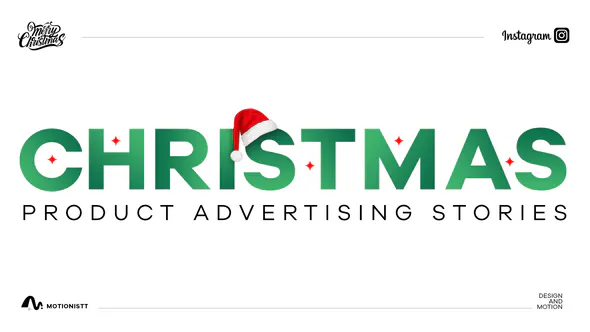
Holiday campaigns arrive fast, and most of the work lands in the same few weeks. A good Christmas After Effects template lets you deliver a full set of sale stories, reels and titles without building every animation from scratch. This post walks through a typical holiday sale campaign for a small brand and shows how our free Christmas Sale Stories & Reels template and holiday title packs fit into it, from planning to export.
The brief: a two-week Christmas sale
Take a typical brief from a small online shop. They want:
- A countdown of vertical stories and reels announcing the sale, for Instagram, TikTok and YouTube Shorts.
- Short product clips with the discount on screen.
- Titles for a “behind the scenes” vlog and a New Year thank-you video.
- Everything in the brand’s colours, ready within a few days.
None of these pieces is hard on its own. The challenge is volume and consistency: a dozen or more short videos that all look like they belong together.
Why a Christmas After Effects template saves the week
Starting from a template gives you a consistent design system on day one. Instead of designing a story layout, then a reel layout, then a title, you choose from finished animations and spend your time on the brand, the copy and the timing.
The Christmas Sale Stories & Reels template was built for exactly this kind of job. It includes 12 items designed for vertical formats such as Instagram stories, reels and YouTube Shorts. It works in After Effects 2020 and later, needs no third-party plugins, uses a free font (the download link is included), and comes with a tutorial with voice-over.
Step 1: Set the brand colours once
Each item has controls for the colours of all elements, the text colour and the background colour. Set the brand palette first, before touching any copy. Because the colour controls are built into the template, you change a value in one place instead of hunting through shape layers in every composition.
Step 2: Write the copy for each story
Plan the sequence before you open After Effects. A simple structure for a two-week sale:
- Teaser: “Something is coming on December 1”.
- Launch: the headline discount and the dates.
- Product spotlights: one story per best-seller with its sale price.
- Last chance: “Ends tonight”.
Type the copy into the text layers, then use the text position control to nudge it around product photos or longer lines.
Step 3: Drop in footage and product shots
Replace the placeholder media with the client’s product photos or clips. Keep each story short: vertical sale content usually works best in a few seconds per message, with the offer readable in the first second.
Step 4: Check it works in any language
The template includes a Universalizer controller, which keeps the expressions working in any language version of After Effects. That matters if you share project files with a client or freelancer whose After Effects is set to, for example, German or French.
Holiday titles for vlogs and thank-you videos
For horizontal videos, the Christmas Title pack for After Effects includes 20 simple, smooth titles for Christmas and New Year, built in 4K at 60 fps. Use them as lower thirds in a vlog, as an opening title for a thank-you message, or as end cards on product videos.
If the edit happens in Premiere Pro, the matching New Year Title MOGRT pack provides 20 Christmas and New Year titles as Motion Graphics templates, so an editor can change the text directly in Premiere’s Essential Graphics panel without opening After Effects.
Exporting for each platform
- Vertical stories and reels: 1080 × 1920, H.264, at the frame rate of your footage.
- Horizontal vlogs: render the 4K titles at 3840 × 2160, or scale to 1920 × 1080 if the rest of the edit is HD.
- Batch rendering: add every story to the Render Queue, or send them to Adobe Media Encoder with one preset, so the whole campaign renders in one go.
- Check on a phone: preview the finished files on a phone before sending them. Text that looks fine on a monitor can be too small on a small screen.
Make it feel less like a template
Templates are a starting point, not the finished film. A few small changes make a holiday campaign feel custom:
- Change the timing to match the music. Even a few frames of offset on each element makes the animation feel designed for this brand.
- Add the brand’s own illustration or logo animation to the first and last frames.
- Use real product footage rather than stock wherever you can.
- Keep one accent colour from the brand rather than using every holiday red and green.
If you need extra movement, our free 2000+ Animation Presets pack adds ready-made text and shape animations you can layer on top of the template.
FAQ
Which After Effects version do I need for the Christmas Sale template?
After Effects 2020 or later. No third-party plugins are required.
Can I use the Christmas templates for vertical videos?
Yes. The Christmas Sale Stories & Reels template is designed for vertical formats such as Instagram stories, reels and YouTube Shorts.
Do the Christmas titles work in Premiere Pro?
Yes. The New Year Title pack provides Christmas and New Year titles as MOGRT files for Premiere Pro, so you can edit text without opening After Effects.
Does the template work in non-English versions of After Effects?
Yes. It includes a Universalizer controller that keeps it working in any language version of After Effects.
Studio list
Get new tools and free drops first
One email when a new plugin, template or free pack is out. No spam, unsubscribe any time.